Fugit

Time flies. See where it went.

Track time for anything, projects, clients, study, hobbies, with two button presses on your Garmin® watch. Then see the whole picture on your iPhone: charts by week, month and year, and CSV export, kept in your own iCloud.

Coming soonConnect IQ™ StoreFugit for your watch Coming soonApp StoreFugit Companion for iPhone
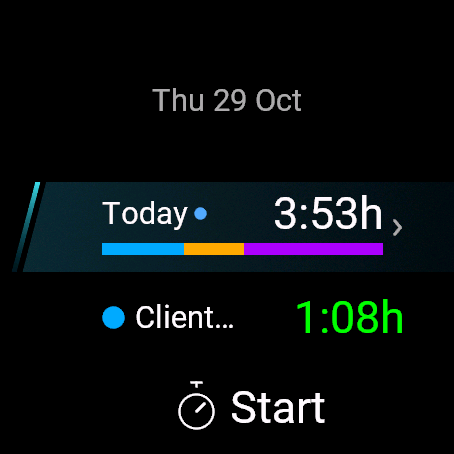
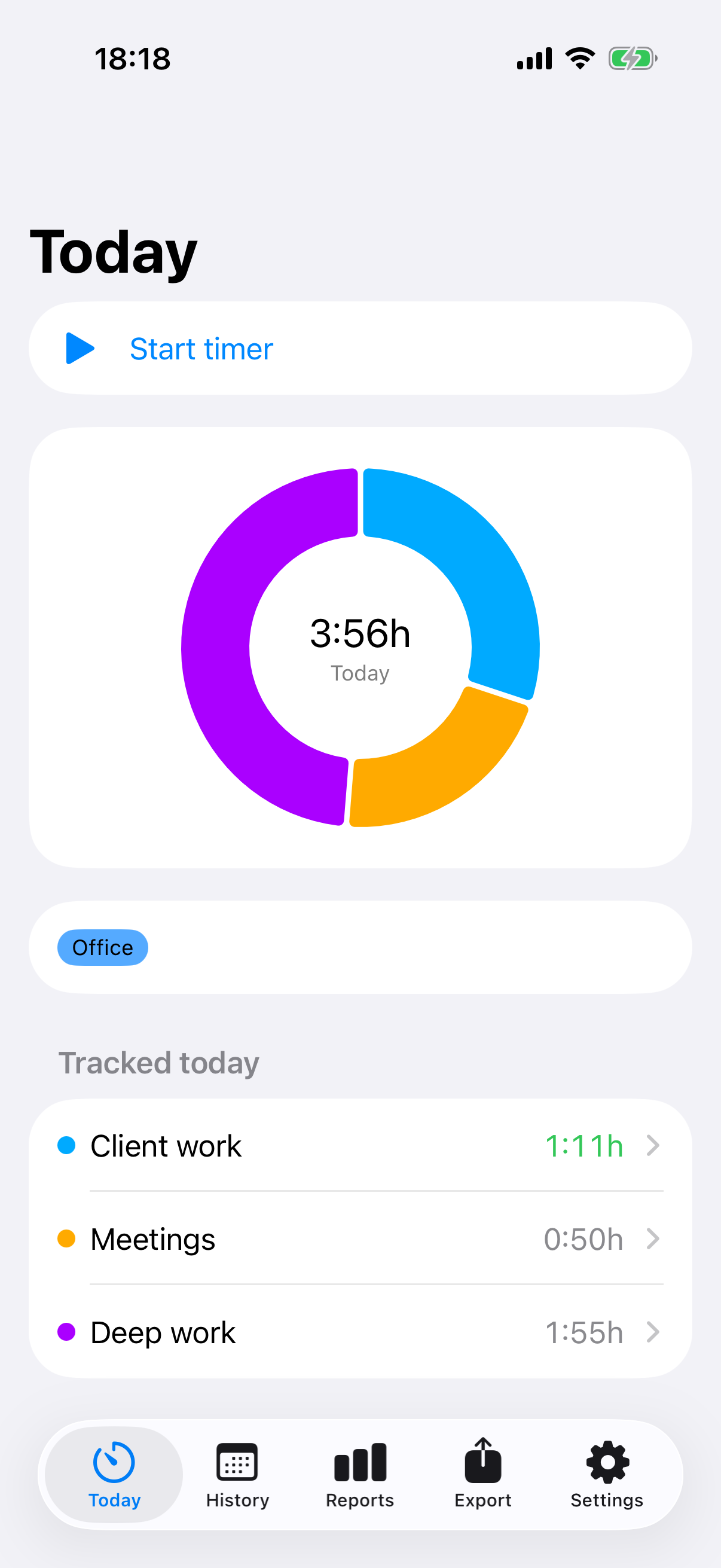
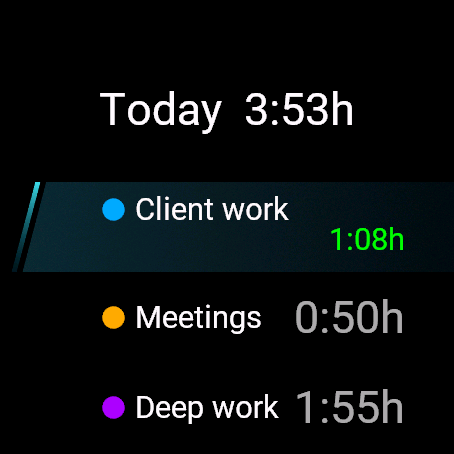
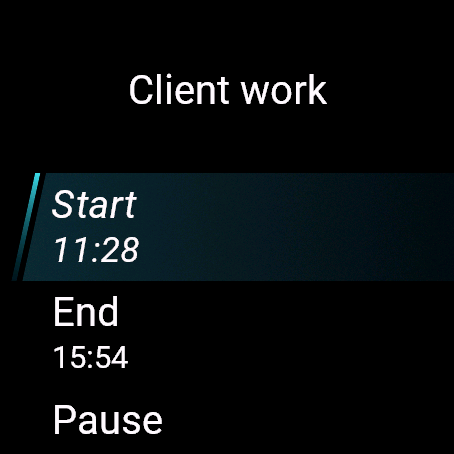
Fugit on a watch: today's total of 3:53 hours with a coloured bar per category, and a running Client work timer Fugit Companion on iPhone: today's time as a donut chart with a list per category
How it works

A watch app that stands on its own. A phone app that adds the big picture.

Tempus fugit: time flies. Fugit is a simple time tracker that lives where you already are: on your wrist.

Start a timer

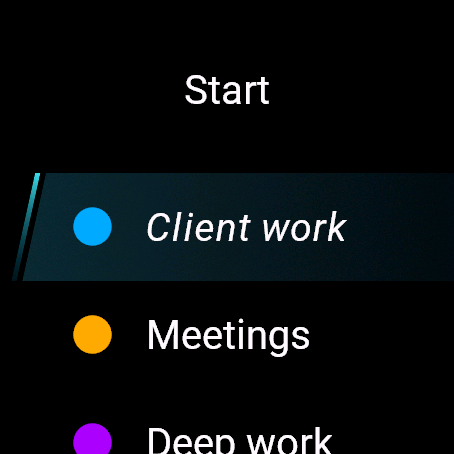
Pick a category and go. Pause for a break, continue, stop. Several timers can run at once.

See your day

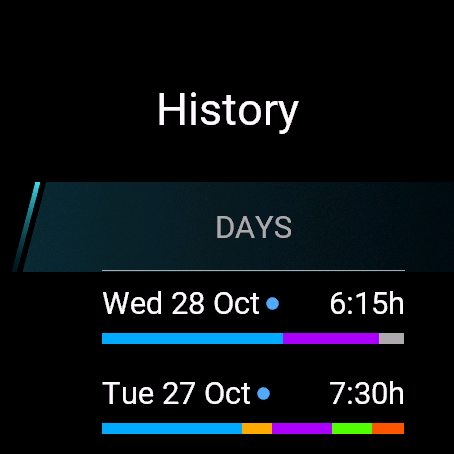
Today's total and a coloured bar per category, right on the watch and in the glance, with history for days, weeks and months.

Analyse on the iPhone

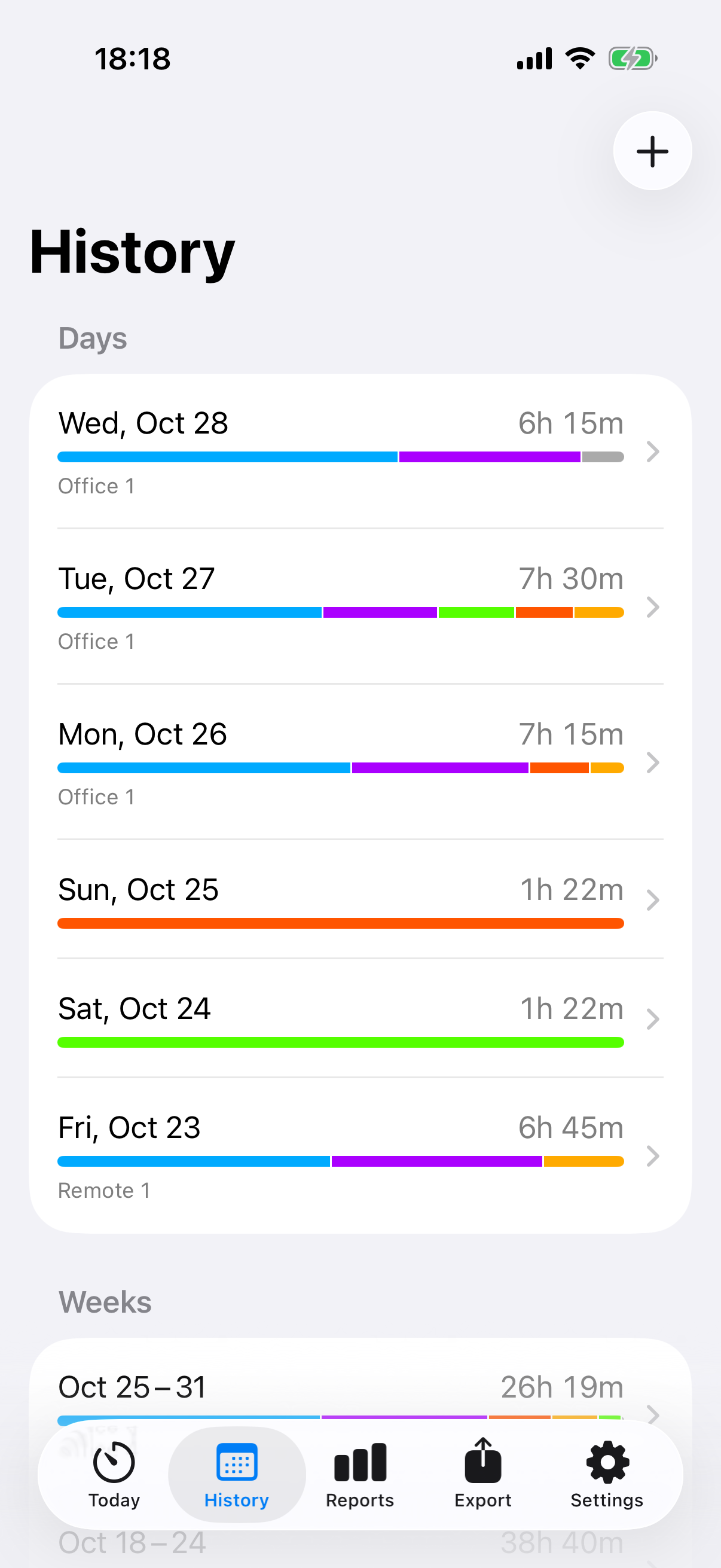
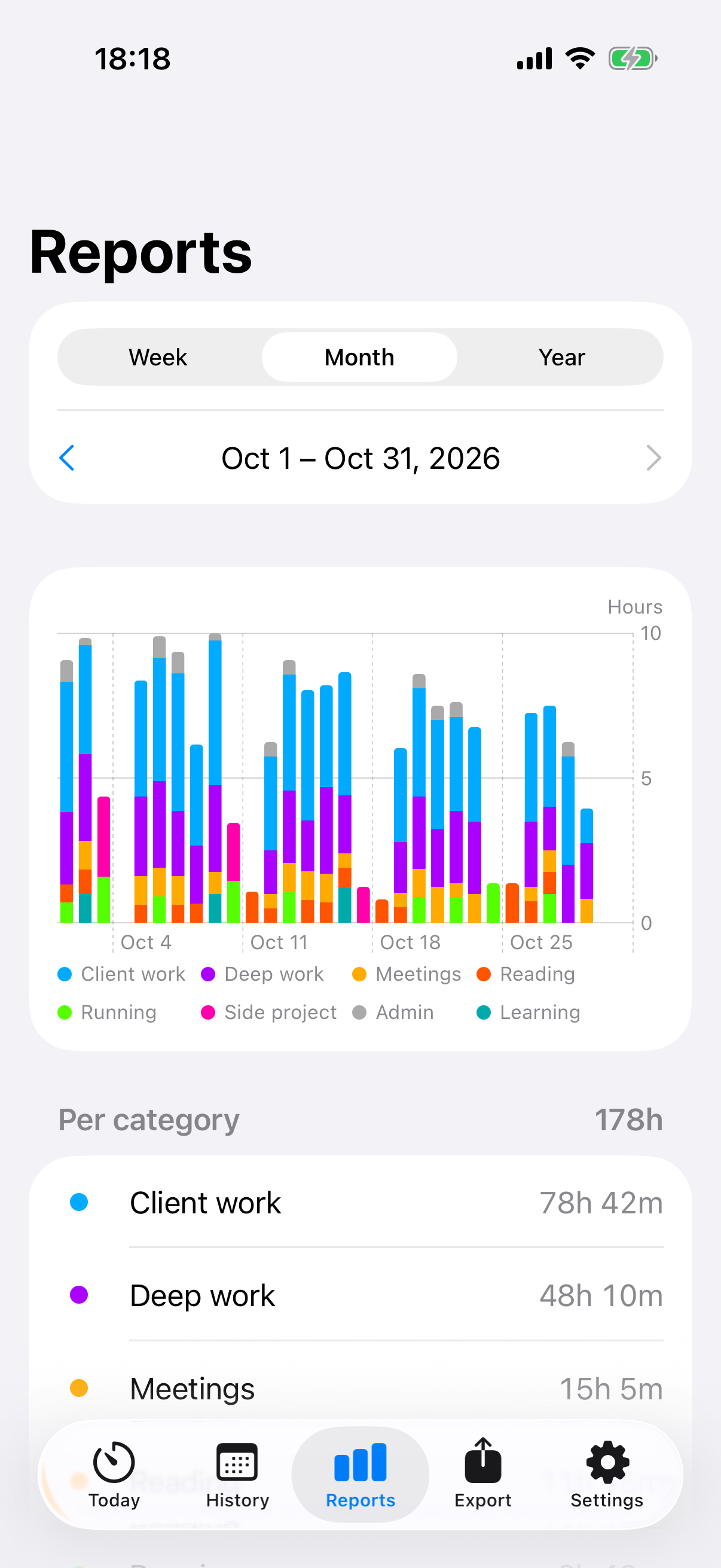
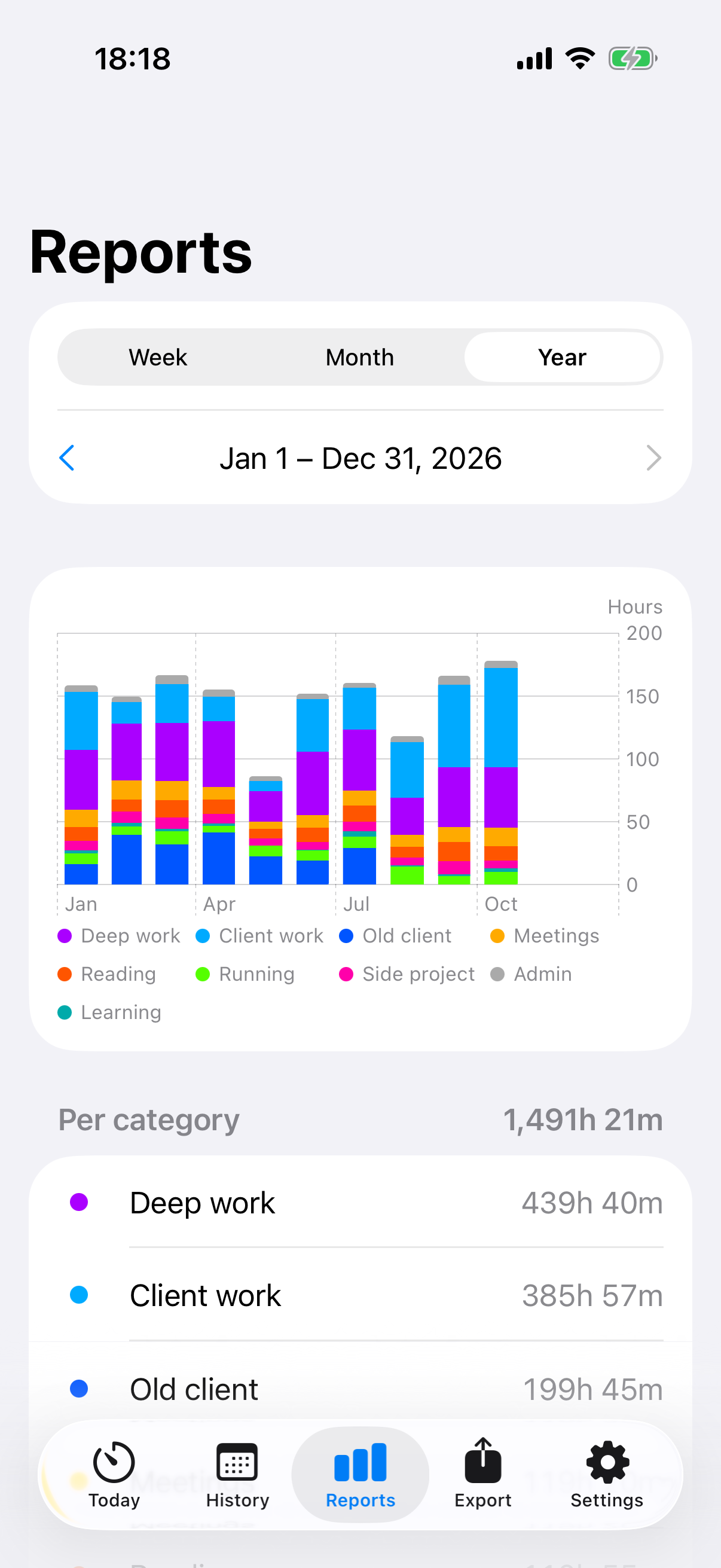
Optional: entries sync to Fugit Companion for charts, edits, tags and CSV export.

Fugit · Garmin watch app

Track on your wrist. No phone needed.

Create your own categories and start a timer whenever you begin. Fugit keeps the record on the watch: no phone, no account, no internet connection.

Track

  • Start a timer for any category; several can run at once
  • Pause and continue: breaks are listed but not counted as tracked time
  • Running timers have their own rows on the start page, ready to pause or stop
  • Restart a stopped category from today's details

Fix it later

  • Edit an entry's start, end and pauses, or delete it
  • Forgot to start the timer? Add an entry to a past day from History

Organise

  • Create, rename and recolour categories on the watch; retire the ones you no longer need
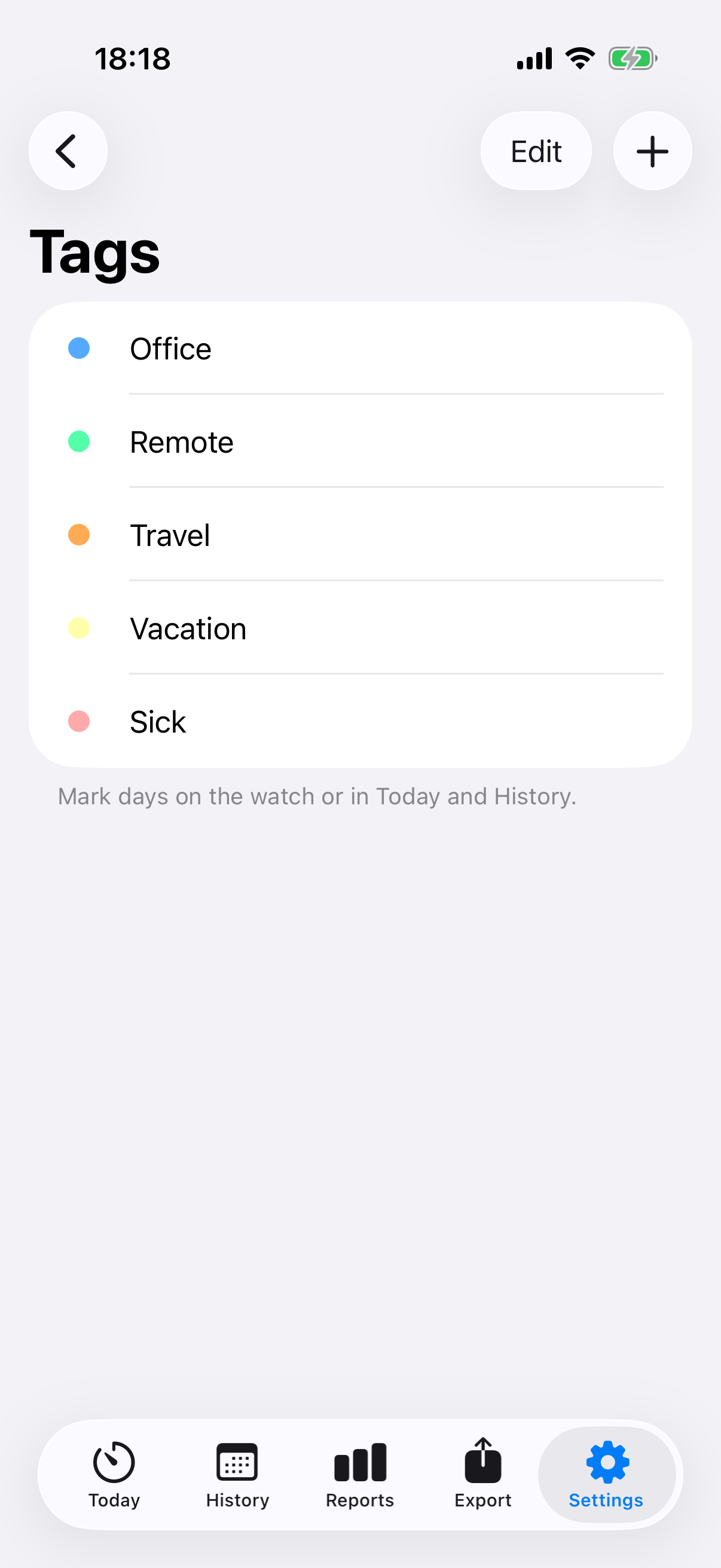
  • Day tags such as vacation or sick: weeks and months count your tagged days

Today

Your total and a coloured bar of time per category.

History

Past days, weeks and months, each with its time per category.

Glance

Today's total and per-category bar without opening the app.

Fugit Companion · iPhone app

Your time at a glance.

Totals, charts and exports, kept in your own iCloud. No watch with you? Fugit Companion is a complete time tracker on its own: run timers, add entries by hand, see reports and export.

Track on the watch or the iPhone

  • Entries from the Fugit watch app arrive automatically
  • Timers running on the watch show up live; pause, continue or stop them from the iPhone
  • Start timers on the iPhone too; the watch shows and controls them
  • Add or edit entries after the fact; edits are sent back to the watch

Organise & export

  • Categories with your own names and colours, kept in step with the watch
  • Day tags such as vacation or sick, counted per week, month and year
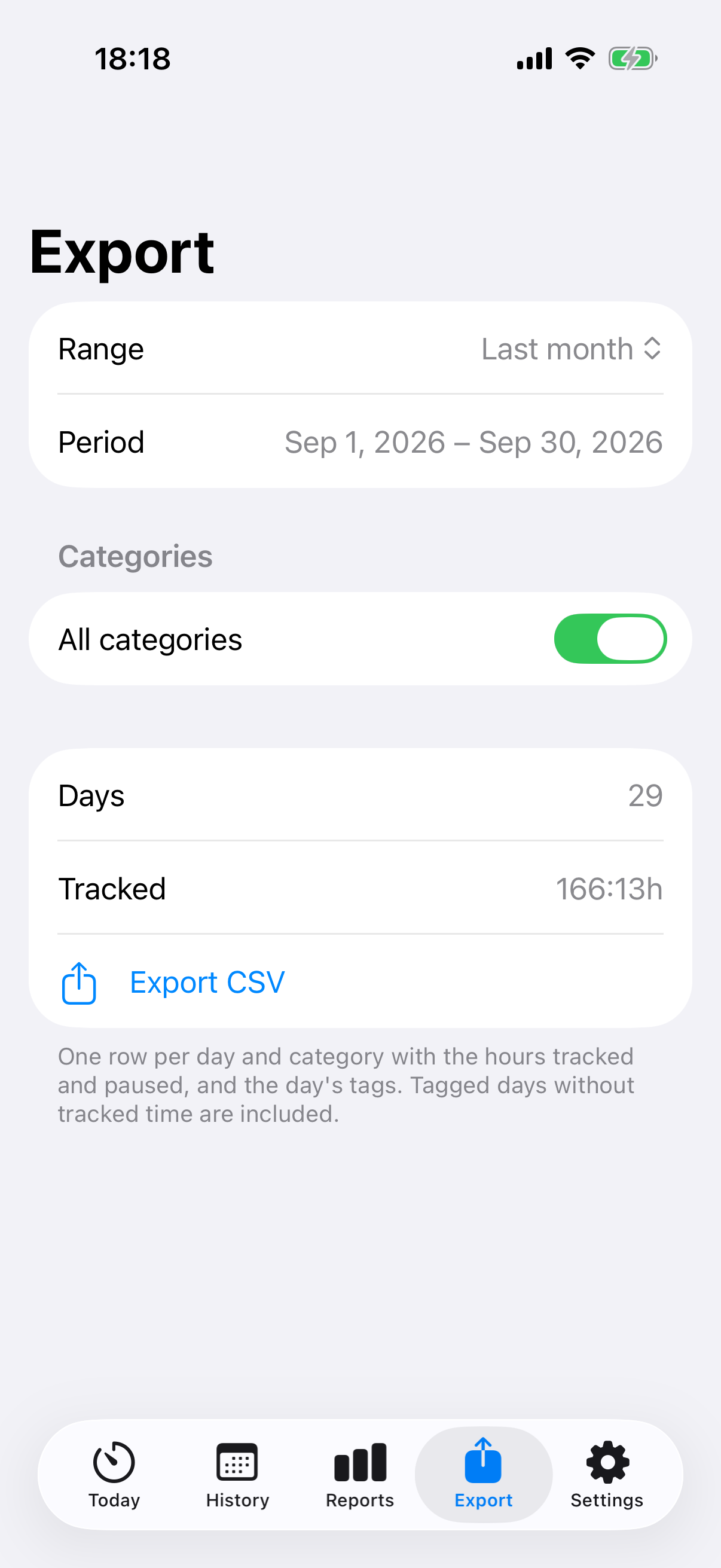
  • CSV: last month, 6 or 12 months, or any range of days
  • One row per day and category: tracked hours, pause hours and the day's tags

Safe when things go wrong

  • A watch that was reset gets its history and recent entries back from the iPhone
  • A new or reset iPhone re-imports the last 7 days from the watch

Two more views

Reports for a year Day tags
Private by design

No account. No server. No tracking.

No sign-in

There is no account to create. Fugit uses what your devices already provide.

Your data stays yours

It lives on your watch and iPhone, and in your private iCloud database. The watch talks to the iPhone over Bluetooth.

No ads, no analytics

Nothing is collected, and there is no Fugit server.

Requirements

Works with current Garmin® watches.

Fugit supports 52 current Connect IQ™ 5.x watches with a colour screen, round or rectangular, AMOLED or MIP: among them fēnix®, Forerunner®, Venu®, vívoactive®, epix™, Enduro™, Instinct® 3 AMOLED, MARQ® (Gen 2), Descent™, D2™ and Approach® models.

Questions

Good to know

Do I need the iPhone app?

No. The watch app keeps its own history and works without a phone, an account or an internet connection. The iPhone app adds charts, CSV export, a backup in your iCloud and editing on a bigger screen.

Do I need a watch to use the iPhone app?

No. Fugit Companion runs timers, takes manual entries, shows reports and exports on its own.

How does syncing work?

Your watch and iPhone exchange entries over Bluetooth through the Garmin Connect app. Every entry has an ID, so syncing can be repeated safely without duplicates. Edits made on the iPhone come back to the watch.

What happens if I reset my watch or get a new iPhone?

A reset watch gets its history and recent entries back from the iPhone. A new or reset iPhone re-imports the last 7 days from the watch, and everything else comes back from your iCloud.

Where is my data stored?

On your devices and in your own private iCloud database. There is no Fugit server.